Book Roles and Speeches, Mark Speeches as Completed
Quick links: EasySPEAK, Base Camp
1. EasySPEAK: Book roles and speeches
To help organise our meetings and manage our club records, we use easySPEAK—a free online platform used by many Toastmasters clubs.
As a member, you’ll get access to easySPEAK, where you are strongly encouraged to do this for each meeting:
- Indicate your attendance
- Book speech slots or meeting roles
You can also keep track of your past speeches and role history to help you advance along your pathway(s).
Your login details will be set up when you join, and you can update your password the first time you log in.
⭐It is your responsibility to maintain an accurate record of your completed speeches, including the date and the specific speech completed within your pathway.
How to check which speeches you completed?
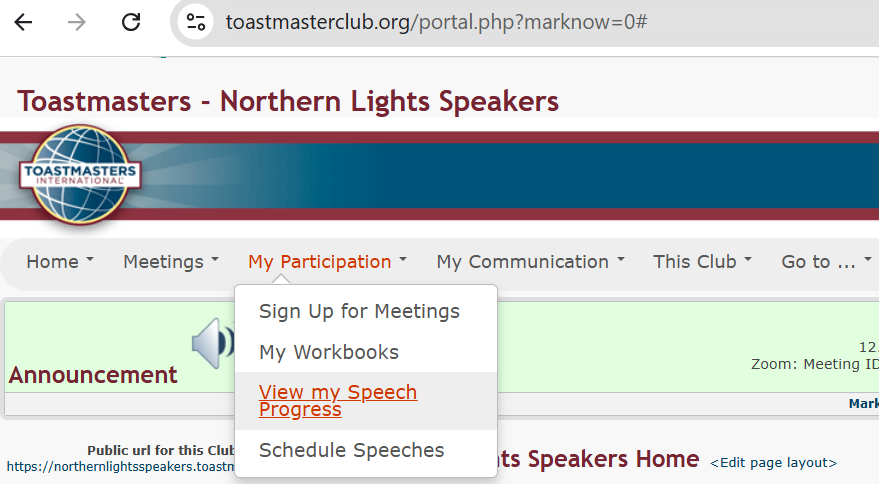
On easySPEAK after you logged in, under ‘My Participation’>’View my Speech Progress’ you can see a list of your speeches in your Pathway(s).
2. Mark your speeches as completed
2.1 Access and Select your Pathways programme
As a member, your first step is to select your Pathways programme. Watch the video below for a walkthrough of the process:
Summary:
- Log in to Toastmasters International. -Username: Your toastmasters.org email -Password: Your toastmasters.org password
- If this is your first visit, create a username and password. If you can’t remember, click ‘Forgot password’.
- Once logged in, go to the Pathways page.
- Scroll down and click Choose a path. Note The cost of the first path is covered by your your new member fee.
- Click Continue to Path Selection.
- Click Take Your Assessment.
- Select your language, then click Start.
- Complete the assessment and order your path.
After selecting a pathway, you will gain access to a wide range of online learning materials inside your Base Camp. These resources allow you to learn and complete your projects anytime, anywhere.
To help you choose your Path, an overview of the available options is provided here: Pathways Paths and Core Competencies Please note that if you joined after 2024, you will have access to the new six new Paths (Dynamic Leadership, Engaging Humor, Motivational Strategies, Persuasive Influence, Presentation Mastery, Visionary Communication)), rather than the five Legacy Paths.
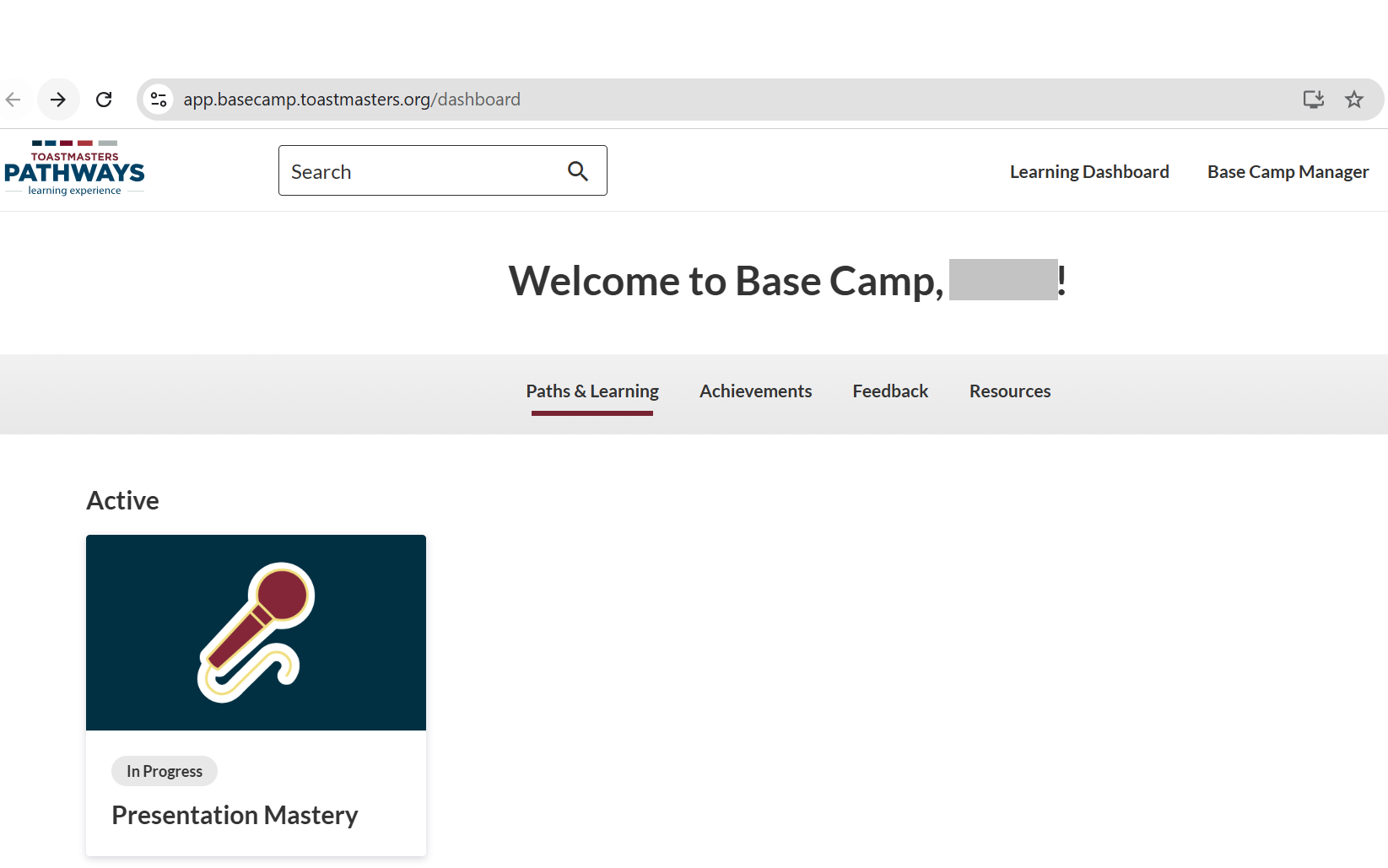
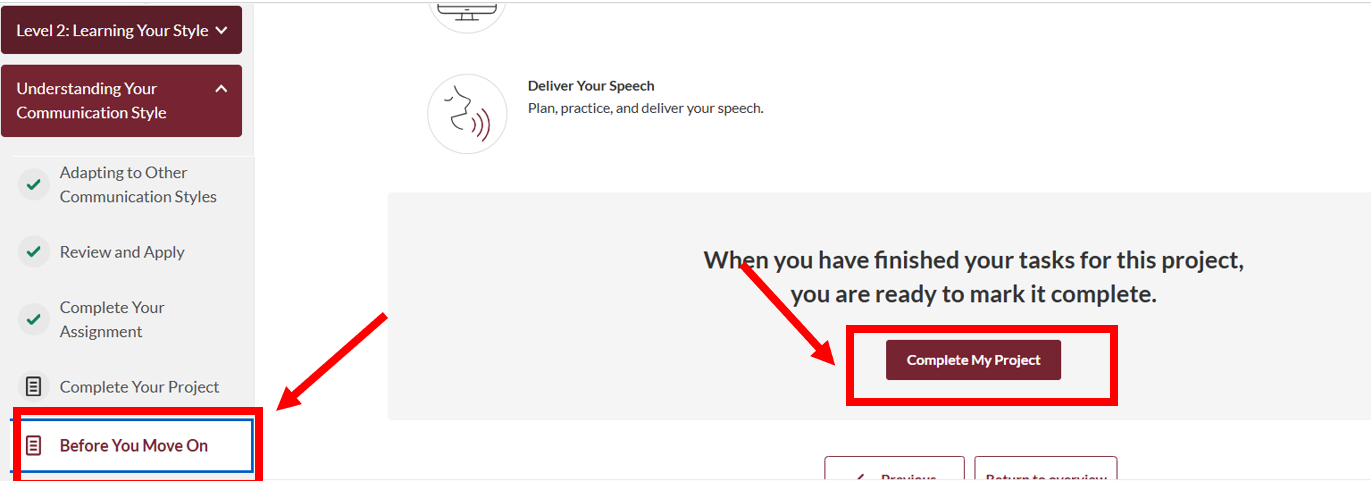
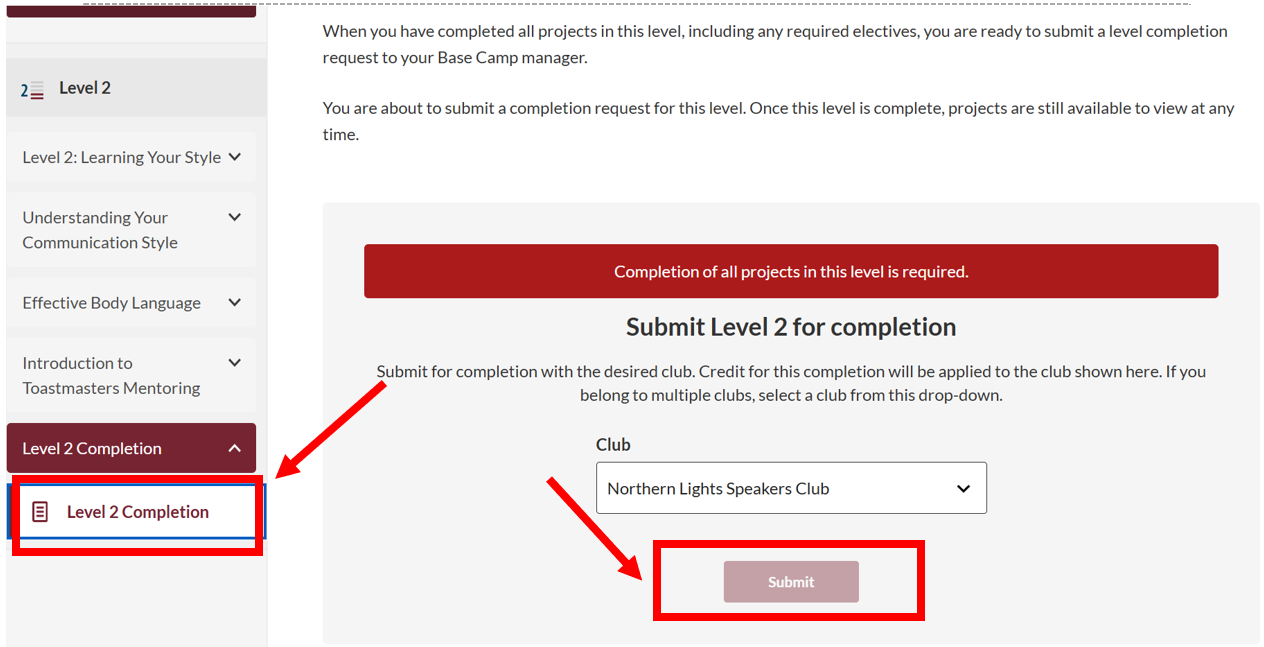
2.2 Base Camp: Mark your speeches as complete
Use the materials in Base Camp to familiarise yourself with the required and optional speeches in your selected pathway, and plan the order in which you will complete them, starting from Level 1.
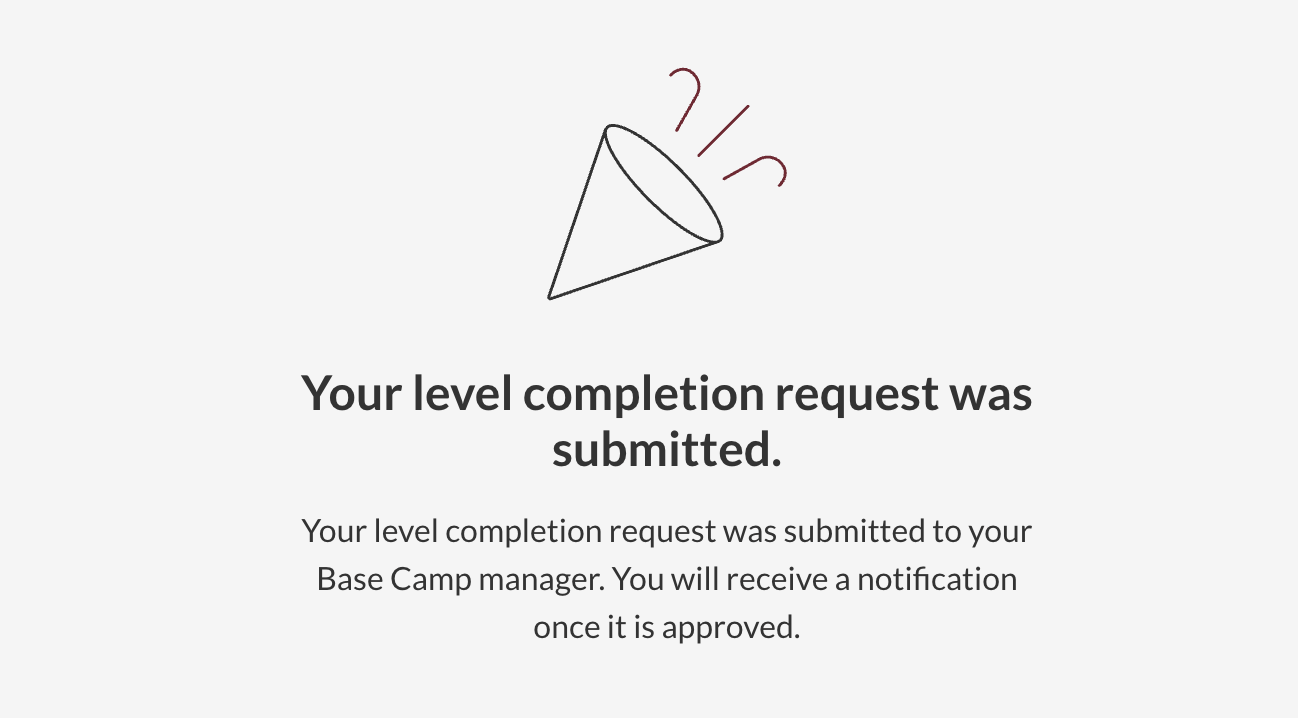
After you have reviewed the resources and finished all required activities and speeches in each level, mark that level as complete. The system will then notify the Base Camp Managers in the Club, who can approve your submission so your level is officially recorded in the Toastmasters International system.